Arabian Piano بيانو العرب
Patates GamesMusic
4.41.18K Reviews
- Version
- 1.6.14
- Installs
- 5.00M
- Age Rating
- Everyone
Screenshots
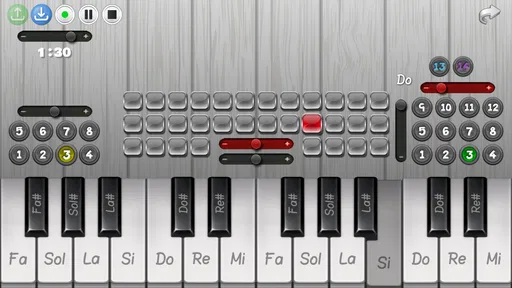
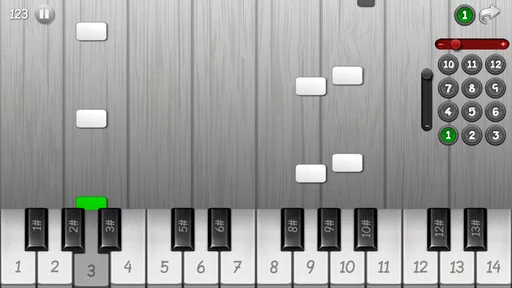
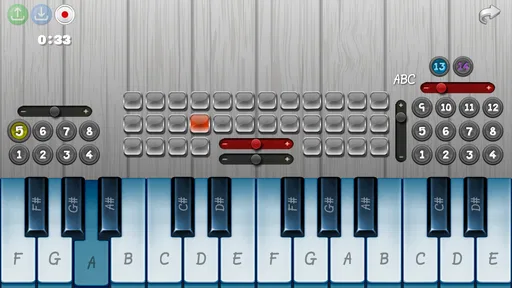
Our Review of Arabian Piano بيانو العرب
 Analysis by Appyee
Arabian Piano بيانو العرب is the kind of music game I would suggest to someone who wants a quick, low-pressure way to interact with a piano on a phone. It is free, rated for Everyone, and made by Patates Games. Rather than approaching it like a full music workstation, I see it as a playable piano experience with teaching support, designed to make the first few minutes feel approachable.
That distinction matters. If you are expecting a complete replacement for a keyboard, a recording studio, or a structured conservatory course, this is probably not the right tool. If you want to tap through lessons, explore notes, and build a little confidence without buying an instrument, it has a much clearer purpose. I found the best experience came from treating it as a practice companion and casual music game, not as professional production software.
What to Expect Before You Start
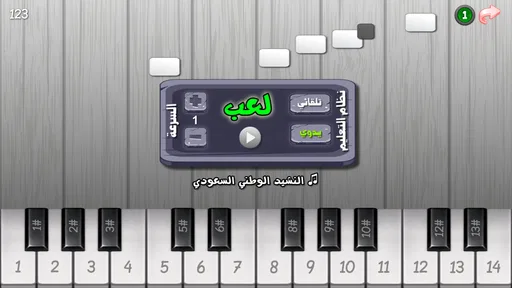
The game belongs to the music category, and its central appeal is simple: you interact with piano keys while using a teaching-oriented system to guide your progress. The store summary presents it as a piano with a learning system, but the practical value is in how that combination lowers the barrier for a beginner. You do not need to know how to read music before opening it, and you can begin by following what appears on the screen rather than trying to remember a whole melody at once.
In my experience, the phone format changes the way you should approach it. A touchscreen is convenient because it is always available, but it does not feel exactly like a physical keyboard. The surface is smaller, your fingers can cover several keys at once, and the response depends on how comfortably you hold the device. I recommend using both hands only after you are comfortable with the basic layout. Starting with one finger makes it easier to understand where notes are and prevents the first session from becoming a scramble.
The game has been available since May 10, 2016, and its current version is 1.6.14. It supports devices running Android 6.0 or later. Those details make it suitable for many older phones, although the actual comfort of playing will still depend on screen size and touch responsiveness. A compact phone may be perfectly fine for short exercises, while a larger display gives your fingers more room and makes repeated practice less tiring.
Its audience is also reflected in its Everyone content rating. I would read that as a sign that the basic concept is suitable for a broad audience, including children who are curious about piano and adults who want a gentle introduction. Parents should still judge whether a child is ready to use a touchscreen independently, but the musical activity itself is easy to understand and does not require specialist knowledge.
The game has built a sizeable audience, with more than five million installs and an average rating of 4.4 from roughly forty-five thousand ratings. Those figures do not guarantee that it will suit every player, but they do suggest that the straightforward piano-and-learning format has reached well beyond a small niche. I think that is important for a first-time user who wants something familiar rather than an obscure experiment.
Install It With a Small Goal in Mind
My advice is to decide what “success” means before you open it. For a first session, do not aim to learn a complete song or become comfortable with every control. A better goal is to locate the keys, follow one short teaching sequence, and finish by repeating the same passage without looking away from the screen. That gives you a clear sense of progress and helps you decide whether the touch interface suits you.
Because it is free, there is little financial risk in trying it. The more important investment is attention. Beginners often install a music game, tap randomly for a minute, and leave because they have not found a useful starting point. I had a better time when I slowed down, kept the phone steady, and treated the first lesson as orientation rather than a test.
Setting Up Your First Practice Session
Once installed, place the phone on a stable surface if you can. Holding it in both hands may feel natural, but it makes precise tapping harder and can cause the screen to move just when you are trying to repeat a note. A table, stand, or even a firm book underneath the device can make the experience more controlled. This is a small adjustment, but it is one of the most useful practical tips for a touchscreen piano.
Before selecting a lesson, check that your fingers can reach the visible keys without covering the labels or controls. If the display feels crowded, turn the phone or adjust your posture rather than forcing your hand into an awkward angle. The best setup is the one that lets you see the next instruction and your finger at the same time. That visual connection is more valuable than trying to play quickly.
I also recommend beginning in a quiet moment, even if you only have a few minutes. The teaching system is easier to follow when you can pay attention to the order of notes. Background noise is not a technical problem, but it can make a beginner rush and lose the rhythm of the exercise. Short, focused sessions are more useful here than leaving the game open while doing something else.
One point that may confuse new players is the difference between exploring the piano and following a lesson. Free tapping can be enjoyable, but it does not necessarily show you how to improve. The teaching path is the better starting point if your goal is to learn. Explore the keys after you understand the basic sequence; doing it in that order gives random playing a little more meaning.
How to Reach the First Meaningful Success
Your first meaningful success should be a short sequence played correctly more than once. Follow the visual guidance slowly, then repeat the same notes immediately. On the first pass, focus on identifying the next key. On the second, focus on keeping your hand relaxed. This two-pass method avoids the common mistake of trying to memorize everything while also worrying about speed.
If you miss a note, do not restart mentally from the beginning. Find the next indicated key and continue. Beginners often turn one mistake into a full stop, but that makes the exercise feel harder than it is. I found that continuing helped me understand the shape of a passage, while repeating the troublesome section afterward was more productive than endlessly replaying the entire sequence.
Another useful habit is to use a single finger at first, even if that is not the technique a piano teacher would ultimately recommend. On a phone, the first challenge is mapping the screen and instructions. Once you know where the notes are, you can experiment with assigning different fingers to nearby keys. This separates interface learning from musical technique and makes both less frustrating.
When you complete a passage, pause for a moment before moving on. Ask yourself whether you succeeded because you followed the prompts or because you recognized the pattern. Both are valid, but they show different kinds of progress. Following prompts builds immediate confidence; recognizing patterns is what helps the lesson become something you can reproduce with less visual help.
The most effective beginner workflow is slow guidance, immediate repetition, then a short attempt with less visual dependence. That approach turns the game from a sequence of taps into a small practice routine. It also gives you a fair test of whether the teaching system is useful for your learning style.
Everyday Situations Where It Fits Well
I can see Arabian Piano بيانو العرب working particularly well during small gaps in the day. A person waiting for an appointment, taking a break from study, or relaxing before bed can use it for a short exercise without carrying a keyboard. The phone is already familiar, so the effort required to begin is much lower than setting up a physical instrument.
It can also be a gentle activity for someone who has always wanted to try piano but feels intimidated by formal lessons. The screen gives immediate direction, and the free price makes experimentation easier. I would not present it as a substitute for a teacher, but it can help a beginner discover whether practicing notes feels enjoyable before committing to lessons or equipment.
For families, the game may work as a shared curiosity activity. An adult can demonstrate the first sequence, then let a child try it while explaining that mistakes are expected. The Everyone rating supports its broad accessibility, but the best results will come from encouragement rather than turning the exercise into a competition. A child who is allowed to explore may stay interested longer than one who is pushed to play perfectly.
It is less convincing for musicians who already need advanced control, detailed notation, serious composition tools, or a realistic performance setup. A physical keyboard offers more expressive space and more reliable finger positioning. A dedicated learning service may also provide deeper progression, feedback, and theory. In those situations, this game is better viewed as a convenient extra rather than the main instrument.
Common Confusion and Practical Workarounds
The first source of confusion is expecting the touchscreen to behave like a real piano. It will not give your hands the same spacing, resistance, or physical reference points. If a passage feels awkward, that may be an interface issue rather than a lack of musical ability. Reduce the speed of your movements, reposition the phone, and practice the note order before judging yourself.
A second issue is confusing visual accuracy with musical understanding. You can follow an on-screen sequence successfully while still being unsure why the notes belong together. That is normal for an introductory game. To get more from it, pause after a successful attempt and replay the pattern from memory. Even a rough memory attempt helps reveal which parts you genuinely learned.
Some players may also wonder whether they should begin by tapping freely. I think free play is useful as a warm-up, but it is not the fastest route to a first achievement. Use it for a minute to become comfortable with the keys, then return to the teaching system. If you stay in random exploration too long, you may enjoy the sounds without developing a repeatable skill.
Another practical trade-off is session length. Longer sessions can feel productive, but touchscreen playing may become tiring because your fingers have less room than they would on a keyboard. If accuracy drops after several repetitions, take a break instead of assuming the lesson has suddenly become impossible. Shorter sessions preserve concentration and make it easier to return the next day.
The developer, Patates Games, has kept the basic idea focused on piano interaction and teaching rather than presenting a crowded collection of unrelated tools. I appreciate that focus, although it also means the game may feel limited if you want a broad music playground. Its strength is the direct route from opening the app to pressing notes; its weakness is that experienced users may outgrow that simplicity.
Moving Beyond the First Lesson
After your first successful sequence, resist the urge to rush through every available lesson. Choose one passage that felt slightly difficult and repeat it at the beginning of your next session. This creates a useful review loop: familiar material becomes a warm-up, and new material becomes the challenge. That is more sustainable than treating each screen as something to finish once.
You can also use the game to test how you learn best. Some people remember note order visually, while others need repeated physical movement. Try watching the guidance once, then looking at the keys more than the prompts on the next attempt. If you improve, visual memory is helping you. If not, keep the guidance visible and focus on smaller sections rather than forcing independence too early.
For someone considering a real piano, this game can serve as a low-cost trial of interest. Spend several short sessions with it and notice whether you look forward to returning. If you enjoy the process but feel restricted by the phone, that is a useful sign that a larger keyboard could be worthwhile. If you lose interest quickly, you have learned that without spending money on equipment.
For casual players, the next step may simply be making a personal routine. A few minutes on a quiet evening can be enough to revisit a known pattern and attempt a new one. The important part is consistency, not pretending that a mobile game will produce instant mastery. Its teaching system is most valuable when you use it as a prompt to practice rather than as a score to chase.
Who Should Choose It
I would recommend it to first-time learners, curious children with adult guidance, casual players, and anyone who wants a portable introduction to piano-style interaction. It is especially appealing if you want to begin immediately, avoid a purchase, and learn through visible direction rather than reading a manual.
I would steer advanced musicians toward a physical keyboard or a more specialized learning application. Those alternatives are better when touch spacing, expressive control, detailed instruction, or serious progression matters more than convenience. I would also suggest skipping this game if you want a full recording environment or a broad library of production features; its focused piano format is not designed for that kind of work.
My Recommendation After Using It
Arabian Piano بيانو العرب succeeds because it makes the first step feel manageable. The free entry, Everyone rating, accessible device requirement, and teaching-focused design all support a beginner who wants to try piano without preparation. Its audience size and 4.4 average indicate that many players have found value in that straightforward approach, while the current version keeps it relevant for compatible Android devices.
My recommendation is to install it with a modest goal: learn one short sequence, repeat it, and decide how the touchscreen feels in your hands. Do not judge it against a real piano, and do not expect it to replace a structured teacher or advanced music software. Used on its own terms, it is a friendly starting point and a convenient practice option. For me, that makes it worth trying, especially when the alternative is never beginning at all.
Verdict
Strengths of Arabian Piano بيانو العرب
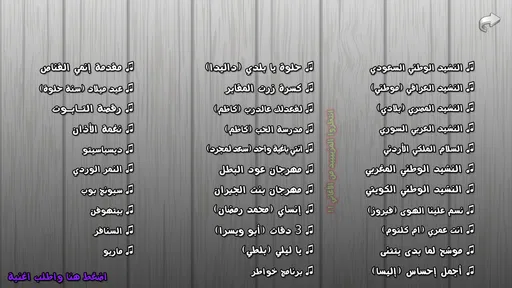
- Includes a broad selection of Arabic songs and familiar melodies.
- Simple piano layout makes it approachable for beginners.
- Touch controls respond quickly during normal play.
- Offers a fun way to practice rhythm and finger coordination.
- Suitable for short, casual sessions without complicated setup.
Limitations of Arabian Piano بيانو العرب
- Some songs or features may require in-app purchases or ads.
- Sound quality can vary depending on the device’s speakers.
- Limited value for advanced players seeking formal piano lessons.
- Arabic content may be less useful for users unfamiliar with the music.
- Performance may depend on the phone’s hardware and Android version.
Similar Picks in This Category
View All
Tiles Hop Music & Ball Game
AMANOTES PTE. LTD.4.3

Magic Tiles 3™ - Piano Game
AMANOTES PTE. LTD.4.6

Real Piano
Bilkon3.7

Piano Game: Classic Music Song
Dream Tiles Piano Game Studio4.0

Smash Colors: Music Ball Rush
BADSNOWBALL HONGKONG LIMITED4.2

Piano Music Go-EDM Piano Games
Joy Journey Music Games4.5
Frequently Asked Questions
What is Arabian Piano بيانو العرب?
Arabian Piano بيانو العرب is a mobile music and piano application designed around Arabic and Middle Eastern sounds. It lets users play piano-style notes through a touch interface, experiment with melodies, and enjoy an accessible musical experience on a phone or tablet. The app may appeal to beginners, casual players, and users interested in practicing or creating Arabic-inspired tunes.
Is Arabian Piano بيانو العرب suitable for beginners?
Yes, the app is generally approachable for beginners because its touch-based keyboard is easy to understand and does not require previous piano experience. New users can tap notes, test different melodies, and gradually improve their timing and coordination. However, it should be viewed primarily as a casual mobile instrument rather than a complete replacement for professional piano lessons or structured music theory training.
Does Arabian Piano بيانو العرب work offline?
Basic piano functionality may be available without a continuous internet connection, which is useful when traveling or when mobile data is limited. Nevertheless, some features, advertisements, updates, or additional content can depend on connectivity and may vary by version and device. It is best to open the application once while online and check which tools remain accessible after enabling airplane mode.
Is Arabian Piano بيانو العرب free to download and use?
The application is commonly offered as a free download, allowing users to try its main piano features without an initial purchase. Free versions may include advertising, optional paid elements, or limitations on certain sounds and functions. Before downloading, review the current store listing carefully, especially the in-app purchase information, supported devices, and privacy details, since these can change with future updates.
What permissions and device requirements does Arabian Piano بيانو العرب need?
The exact requirements depend on the Android or iOS release, but a compatible operating-system version and enough storage are normally necessary for installation. A piano app should not need unusually sensitive permissions for basic play; users should examine every requested permission and deny anything unrelated to its features. Checking the official store page also helps confirm compatibility, developer information, ratings, and the latest update status.
Play our best games!


